
If you’re a small business trying to hire without a full HR team, the bottleneck is usually the same: scheduling + phone screens + inconsistent reviews. One-way video interview software helps you replace that early-stage chaos with a short, repeatable screen you can review on your own time.
This guide is intentionally practical: decision rules, templates, scorecards, and a 14‑day pilot plan. For product steps, see our setup guide. For ready-made prompts, start in the question bank.
One-way video interview software lets candidates record short answers to a fixed set of questions (usually 3–6). You review responses asynchronously with a scorecard, then invite only the best-fit candidates to a live call.
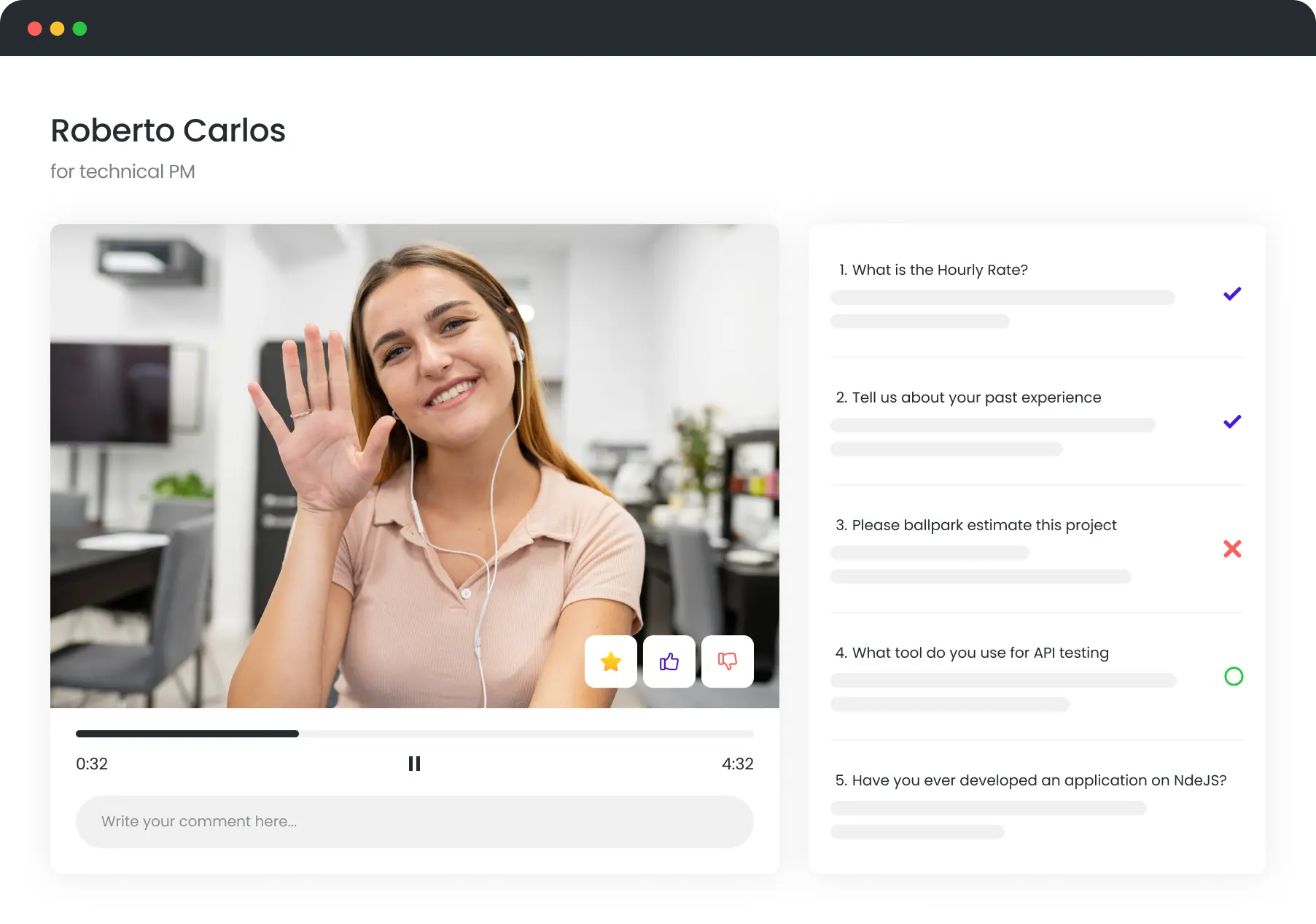
Feel free to try one-way video interview software (no pressure—just see how the workflow feels).
TL;DR: Who it’s for / who it’s not for / expected outcome
| Who it’s for | Who it’s not for | Expected outcome |
|---|---|---|
| Small teams hiring 1+ roles/quarter, seeing applicant spikes, or losing time to scheduling. Best fit: sales, support, admin/ops, entry-level roles. | Very low volume (1 role/year), roles where portfolios dominate screening, or teams who can’t commit to reviewing within 48 hours. | Fewer calls booked, faster shortlist, more consistent screening, and less admin time per hire. |
Is one-way video interview software worth it for a small business?
Use blunt criteria. If it doesn’t remove a real bottleneck, don’t add another tool.
What hiring volume makes this worth it?
- Worth it: you screen 10+ applicants per open role (or you phone-screen 5+ people to find 1 viable).
- Borderline: 5–10 applicants/role but you’re hiring multiple roles per quarter.
- Overkill: fewer than ~5 applicants/role and your bottleneck is sourcing, not screening.
Which roles benefit most (sales/support/admin/ops)?
- Sales: communication + objection handling shows up fast.
- Customer support: empathy, clarity, and process thinking are visible beyond the resume.
- Admin/ops: detail-orientation + prioritization can be tested with scenarios.
- Entry-level generalist: baseline communication + follow-through + learning mindset.
When is it overkill?
- You already have a short, high-signal funnel (referrals only, small pool).
- You’re hiring a senior specialist where live deep dives are the right first screen.
- Nobody owns reviewing videos within 48 hours (work queues pile up).
Decision rule: If (you screen 10+ applicants/role) and (you’re losing 2+ hours/week to scheduling + phone screens), use it. If not, don’t.
What to do next:
- Estimate applicants/role for your next 2 hires.
- Timebox a 14-day pilot before committing long-term.
What problems does one-way video interview software actually solve?
- Reduce scheduling and phone screens: async responses replace the “first call” for most applicants.
- Improve screening accuracy beyond resumes: you see clarity, confidence, and thinking—not just keyword-matched CVs.
- Handle applicant volume spikes: review when you have time; don’t add more calls to your calendar.
Before / after workflow:
- Before: Post job → inbox fills → schedule 10 calls → repeat the same questions → take messy notes → debate “vibes”.
- After: Post job → invite to one-way screen → review with a scorecard → shortlist 3–5 → live call only with finalists.
What to do next:
- Replace only the first phone screen (don’t redesign your whole process on day 1).
- Use a shared scorecard so reviews don’t become “who spoke louder.”
How to set up one-way video interview software for the first time
Keep version 1 simple. Your goal is a repeatable screen that makes yes/no decisions easier.
- Define pass/fail criteria: 3–5 must-haves that map to the job (e.g., clarity, basic tool familiarity, reliable schedule).
- Pick 3–6 questions: 2 role scenarios + 1 motivation/fit + 1 tool/process + (optional) 1 timed prompt.
- Set time limits + retake rules: default 60–120s per question; allow 1 retake for most questions.
- Write candidate instructions: what to expect, total time, deadline, and how you use responses.
- Define review workflow + owners: who reviews, when, and how ties get resolved.
Done looks like:
- A 5–8 minute total screen (all questions combined).
- One scorecard every reviewer uses.
- A 48-hour review SLA (someone reviews within 2 days).
- A clear next step for pass candidates (live call or work sample).
What to do next:
- Copy a role template from the question bank and edit only 2 questions.
- Use the step-by-step walkthrough: How to set up one-way interview.
The best questions to use in one-way video interview software (by role)
Use 5 questions per role to keep it short. Each template includes what “good” looks like and red flags.
Sales
| Question | Good answer includes | Red flags |
|---|---|---|
| Walk me through how you’d sell [your product] to [your ICP] in 60 seconds. | Clear structure, customer problem first, simple proof, confident close. | Rambling, jargon, no customer focus. |
| Tell me about a time you handled a tough objection and what you did next. | Specific example, listens, reframes, confirms, follows up. | Blames customer, vague story, no follow-through. |
| How do you keep your pipeline organized week to week? | Simple system (CRM + next steps), prioritization, consistency. | No system, “in my head,” misses details. |
| Role scenario: A lead says “send info.” What’s your next message? | Short, specific, asks 1–2 qualifying questions, proposes next step. | Long email, no question, no call-to-action. |
| What’s one skill you improved recently, and how? | Self-awareness, learning loop, measurable change. | No example, “I’m already great.” |
Customer support
| Question | Good answer includes | Red flags |
|---|---|---|
| Explain a technical issue you solved for someone non-technical. | Plain language, empathy, checks understanding, next steps. | Talks down to user, unclear, no confirmation. |
| Role scenario: An angry customer threatens to cancel. What do you say first? | De-escalation, ownership, clarifies, sets expectation. | Defensive, policy-only, escalates conflict. |
| How do you prioritize when 10 tickets arrive at once? | Urgency vs impact, SLA awareness, communicates delays. | Random order, ignores urgency. |
| What does a good internal note look like after a support case? | Concise summary, steps taken, outcome, next action. | No notes, too long, missing key details. |
| Tell me about a time you used feedback to change how you work. | Specific feedback, concrete behavior change, result. | Dismisses feedback, vague improvement. |
Admin/ops
| Question | Good answer includes | Red flags |
|---|---|---|
| Describe your system for staying on top of recurring tasks. | Calendar + checklist, reminders, review cadence. | No system, misses deadlines. |
| Role scenario: Two urgent requests conflict. How do you decide? | Clarifies priority, communicates tradeoffs, documents decision. | Picks randomly, avoids communication. |
| Tell me about a process you improved. What changed? | Baseline → change → measurable outcome. | No example, change without measurement. |
| How do you prevent mistakes when working with details? | Double-check steps, templates, peer review, automation. | “I don’t make mistakes,” no safeguards. |
| What’s your comfort level with Sheets/Docs? Give an example. | Specific use (filters, pivots, templates). | Can’t describe any use, avoids tools. |
Entry-level generalist
| Question | Good answer includes | Red flags |
|---|---|---|
| Why this role, and why now? | Real reason, understands basics, clear motivation. | Generic, no role understanding. |
| Tell me about a time you learned a new tool quickly. | Steps taken, practice, result. | No example, avoids learning. |
| Role scenario: You’re stuck and your manager is busy. What do you do? | Tries first, documents, asks specific questions, escalates appropriately. | Gives up, waits silently. |
| What does reliable work look like to you? | On-time, communicates, owns mistakes, follows through. | Vague, avoids accountability. |
| 30-second prompt: explain [simple concept] clearly. | Clear, structured, concise. | Rambling, unclear, can’t summarize. |
What to do next:
- Swap [your product] / [your ICP] into the sales template so it can’t be answered generically.
- Add 1 timed prompt (30–45s) to reduce scripting.
How to review candidates fast with one-way video interview software
- How long per candidate is reasonable? 4–8 minutes for the first pass (including scoring).
- How to avoid vibe-based decisions? Score first, discuss second. Always anchor to the same criteria.
- How to score consistently across reviewers? Use a shared scorecard + calibrate on 3 sample videos.
Simple scorecard (criteria + 1–5 scale):
| Criteria | 1 (weak) | 3 (meets) | 5 (strong) |
|---|---|---|---|
| Communication clarity | Hard to follow | Clear enough | Very clear + concise |
| Role competence | No relevant examples | Some relevance | Specific, relevant examples |
| Problem solving | No process | Basic steps | Structured approach + tradeoffs |
| Reliability / ownership | Avoids responsibility | Owns tasks | Proactively owns outcomes |
| Customer tone (if relevant) | Flat/negative | Professional | Warm + confident |
2-minute scan method + when to go deeper:
- Watch the first 15 seconds (baseline clarity + presence).
- Jump to the role scenario question (job-relevant thinking).
- Score immediately (don’t wait until you forget).
- Go deeper only if they’re within your top ~2× hiring slots.
What to do next:
- Delete extra criteria until your scorecard fits on one screen.
- Calibrate reviewers once per role by scoring the same 3 videos.
How to handle AI, scripts, and fake applicants with one-way video interview software
- How do I reduce scripted answers? Use timed prompts + scenario details tied to your business.
- What signals suggest fraud? Generic examples, dodges specifics, inconsistent timeline, overly polished but shallow answers.
- What is my escalation path (re-test / live call)? Re-test borderline candidates → 10-minute live call for finalists → reject obvious fakes.
Practical controls:
- Short timed question: 30–45 seconds, no retake.
- Role scenario with specific details: include your tools, customer type, and one realistic constraint.
- Follow-up prompt that forces specificity: “Name the exact steps you’d take in the first 15 minutes.”
What to do next:
- Add 1 timed prompt + 1 business-specific scenario to every role template.
- Write a one-line escalation rule so reviewers don’t debate endlessly.
Candidate experience: make one-way video interview software not feel like a chore
Candidate-facing “why we do this” blurb (copy/paste): We use a short one-way video interview to avoid scheduling delays and make sure every candidate answers the same questions. It takes about 5–8 minutes, and we review submissions within 48 hours.
Clear expectations:
- Time: 5–8 minutes
- Retakes: 1 per question (except timed prompt)
- Deadline: 3–5 days after invite
- Next step: live call for shortlisted candidates
Tech tips + accessibility note:
- Suggest headphones + stable Wi‑Fi; allow mobile completion.
- Offer a text alternative when needed (accessibility and privacy).
- Avoid trick questions; keep prompts short and readable.
Drop-off reducers checklist:
- Under 8 minutes total
- Clear deadline + reminder email
- Allow 1 retake (reduces anxiety)
- Tell candidates when you’ll respond (48 hours)
- Include 1 example answer format (STAR or bullet steps)
What to do next:
- Paste the blurb into your invite message today.
- Shorten any screen longer than 8 minutes.
Integrations and workflow: using one-way video interview software with your current tools
- Do I need an ATS? No—many SMBs run this with email + a spreadsheet until volume demands more structure.
- Can I run this from email + Sheets? Yes—track invite date, completion, score, and next step.
- How do I share reviews with managers? Share the video + scorecard summary; discuss only the top 3–5.
No ATS (email + spreadsheet) workflow:
- Create a role template (questions + scorecard).
- Invite candidates by email with a 3–5 day deadline.
- Track in Sheets: name, invited, completed, score, decision, next step.
- Shortlist, then schedule live calls.
With ATS (stages + automation) workflow:
- Add a stage: One-way video screen after application review.
- Auto-send invites when a candidate enters the stage.
- Require a scorecard before moving to Live interview stage.
- Share shortlist with managers via ATS notes + score summary.
What to do next:
- Start with the no‑ATS workflow for your first pilot.
- Only add automation after you’ve proven the scorecard works.
Cost and ROI: choosing one-way video interview software that pays off
Simple ROI formula: ROI (monthly) = (hours saved × hourly rate) + expected bad-hire cost avoided − software cost.
- What pricing model is safe for SMB? A plan that scales with hiring volume and doesn’t lock you into unused seats.
- Worth paying for: templates, scorecards, easy sharing, reminders, basic analytics.
- Usually not worth paying for (early): complex custom integrations, heavy branding work, enterprise admin features.
Budget tiers comparison:
| Tier | Good for | What you should expect |
|---|---|---|
| Starter | 1–2 hires/quarter | Basic interview builder, sharing, simple scorecard |
| SMB | Recurring hiring | Templates, collaboration, reminders, basic analytics |
| Growth | Multiple roles at once | Workflow automation, reviewer roles, integrations |
| Enterprise (often overkill for SMB) | High volume + compliance | Advanced controls, vendor process, custom integrations |
What to do next:
- Run the ROI formula on your last hire (even a rough estimate is useful).
- Choose a plan for your next 90 days—not your dream hiring year.
Quick pilot plan: validate one-way video interview software in 14 days
A pilot prevents tool churn. Run it on one role, one scorecard, one decision owner.
- Day 1: pick one role + define pass/fail criteria.
- Day 2: select 5 questions + set time limits/retakes.
- Day 3: write candidate instructions + invite template.
- Day 4: build the scorecard + align reviewers (10 minutes).
- Day 5: launch invites for new applicants.
- Day 6: review the first batch (use the 2-minute scan).
- Day 7: calibrate scoring on 3 videos (tighten criteria).
- Day 8: update 1 question that isn’t predictive.
- Day 9: continue reviewing + shortlist.
- Day 10: run live calls with shortlisted candidates.
- Day 11: compare pass rate vs your old phone screen.
- Day 12: check drop-off rate + improve instructions.
- Day 13: document your SOP (questions + scorecard + workflow).
- Day 14: decision: keep / adjust / stop.
Success metrics:
- Time-to-shortlist: days from posting to top 3–5
- Pass rate: % that meet your minimum bar
- Show rate: % who complete after invite
- Hire quality proxy: manager confidence + early 30‑day performance signals
Decision at day 14: Keep if time-to-shortlist improved and quality proxy stayed the same or better. Adjust if drop-off is high. Stop if nobody reviews on time.
What to do next:
- Pilot one role before scaling across the company.
- If you need more screening structure, read candidate screening best practices.
FAQ
Is one-way video interview software fair for candidates?
- Yes, if it’s short, standardized, and scored with the same criteria for everyone.
- Offer an accessibility alternative when needed (e.g., text response).
- Tell candidates when you’ll review (e.g., within 48 hours).
How long should a one-way video interview software screen be?
- Target: 5–8 minutes total.
- Longer screens increase drop-off and reduce signal quality.
Can one-way video interview software replace live interviews?
- For SMBs it works best as a first screen (replacing phone screens).
- Use live calls for finalists where two-way discussion matters.
Conclusion
One-way video interview software is most valuable for small businesses when it removes scheduling, standardizes screening, and produces a clear shortlist. Start with one role, one scorecard, and a 14‑day pilot—then expand only after you see measurable time savings and better screening consistency.
Next: Try one-way video interview software or copy a template from the question sets.